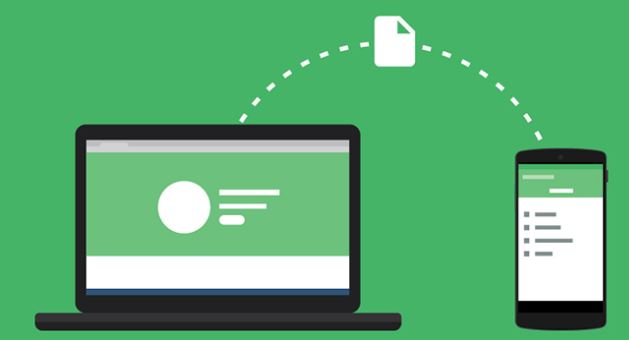


You may faced many problems while transferring files between your pc and android by using USB cable like not connecting properly braking of connection in end of large file transfer.
Here we bring a amazing easy trick that makes you smart and cool.NO software is need to install in your Laptop(PC).Transfer using wifi (“no need of internet”).
WIFI how many of you know the fullform it’s full form is “Wireless Fidelity“.
1………Let’s get back to the trick all you need to do is to download “cx file explorer” in your Android device. Link is provided here click it to download. https://play.google.com/store/apps/details?id=com.cxinventor.file.explorer
2…… Now turn on the mobile hotspot no internet is require make sure internet is turned off. Connect your laptop(Laptop to which you want to tranfer files=storage) with your mobile Hotspot.
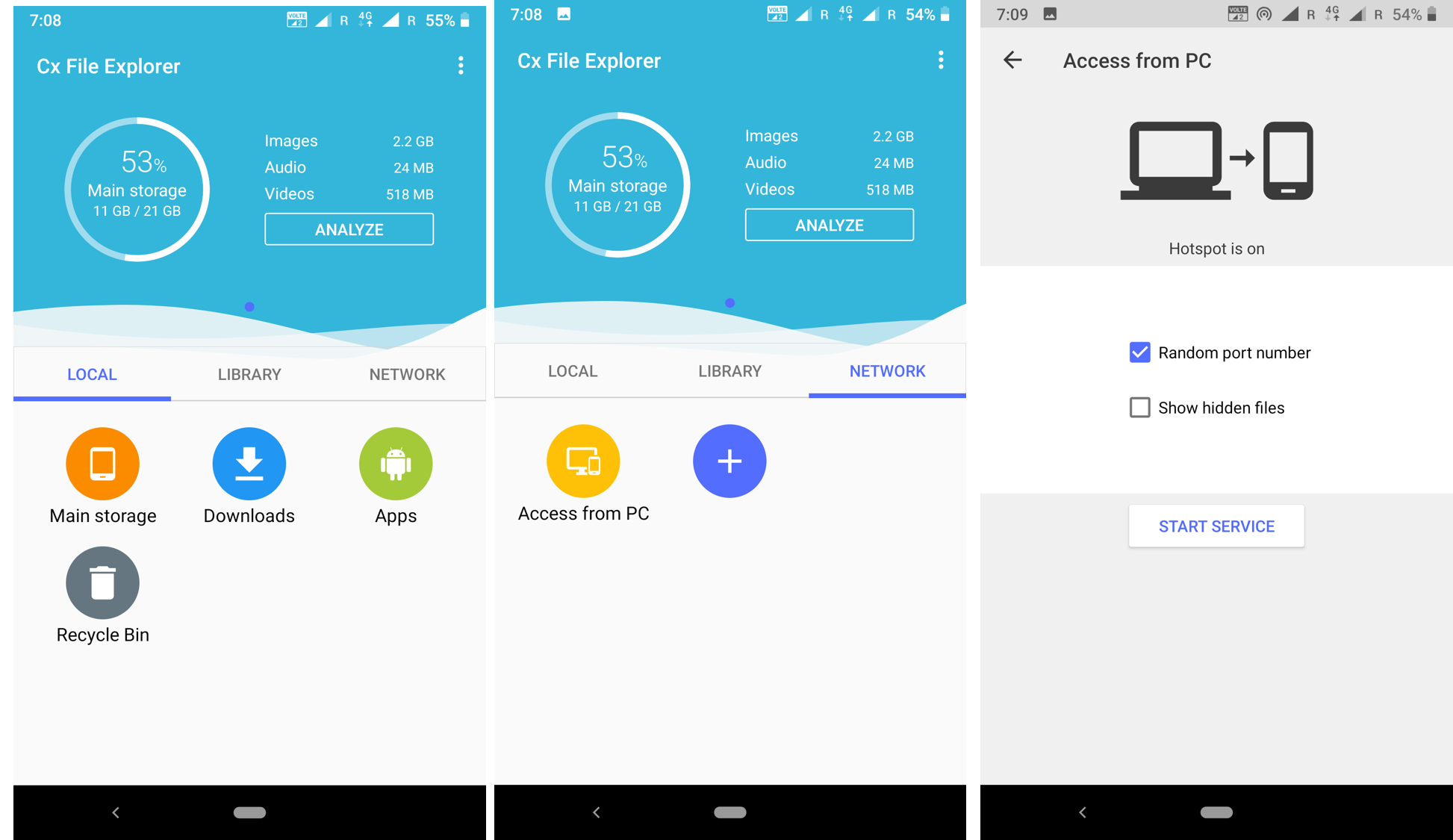
3……. Now open cx file explorer in your mobile and tab on NETWORK then tab on Access from PC them click Start service. Now you get a link starting with ftp://____.___._____.____ type this link in your pc directory bar.
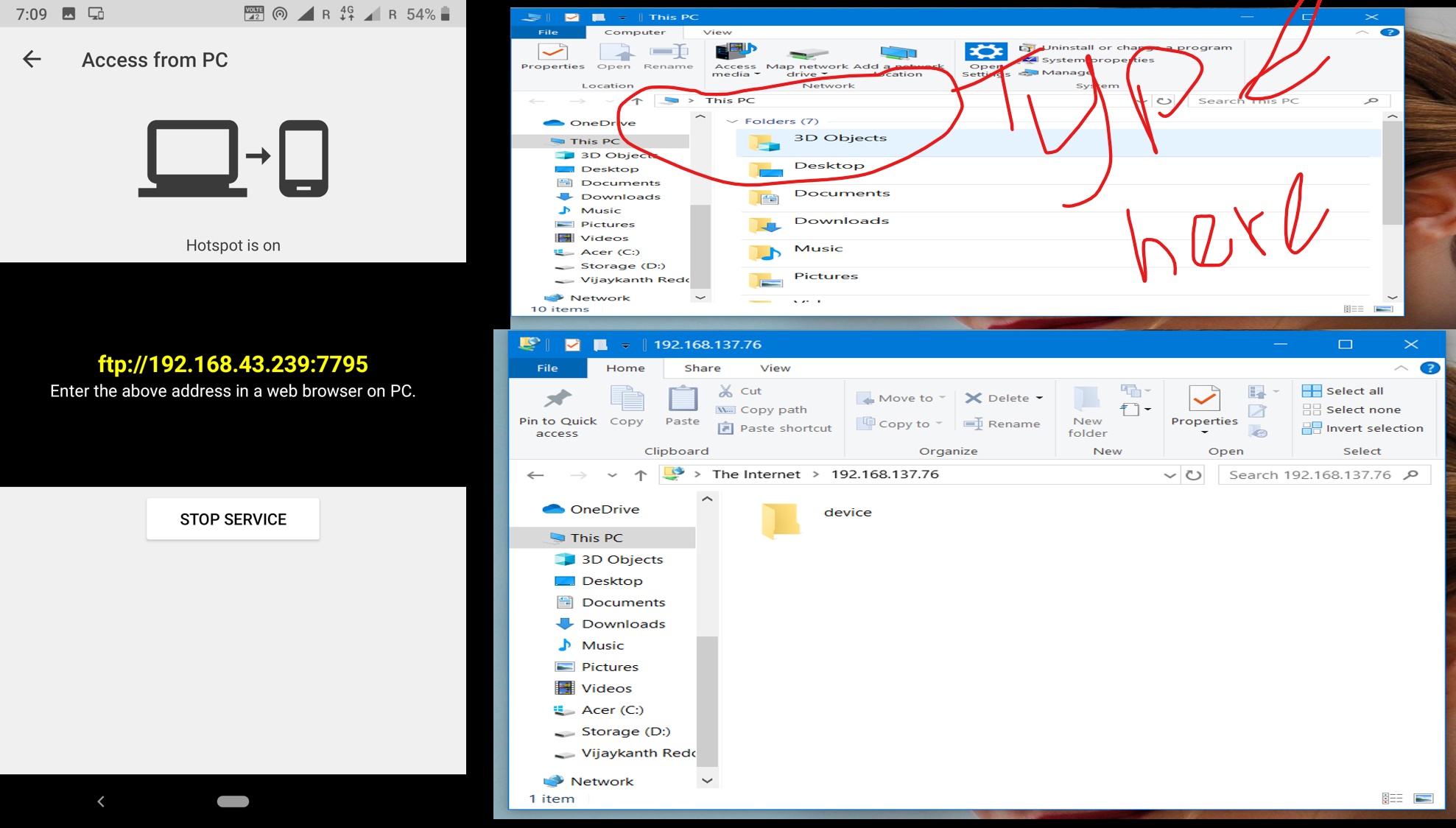
The folder opened in your pc device is your storage open it all you files in your storage every song every video every file is inside it open it. I suggest you to copy file to your pc or to your phone but don’t try to open. it you try to open it will download without internet your phone act as your server no charges. But I suggest to copy no matter you copy or if you open it will automatically direct you to your default browser and download the file.
HOpe it is use full stay connected and subscribe for new tricks . I try to upload at least 2 or 3 new tricks every weekend so stay connected and become smarter and smarter every day. Use technology it works for you.
If any problem arises contact me at my email id vijaykanth1103@gmail.com
About blogger:
Name : BC Vijaykanth Reddy
Email id :vijaykanthbc03@gmail.com
Phone : 9490633605
 Developer's & Smart Students Secret
Awesome
LikeLike
This is an awesome Congo
LikeLike
Hi
LikeLike